Key-Farmer

Premiere Pro tools
that keep editing fast.

Productive plugins for Adobe Premiere Probuilt for real-world workflows.

Analyze
Automate
Apply
Review
Export

Small utilities for editors who would rather stay in the timeline.

Cut to Beat

Detect beats and generate timeline guides for faster rhythm editing.

Learn MoreBuy now for $2.99

Early access price: $2.99 · Available through Adobe Exchange.

Built by a working editor. Runs locally inside Premiere Pro. No tracking or cloud upload.

Pricing may change as the tools grow.
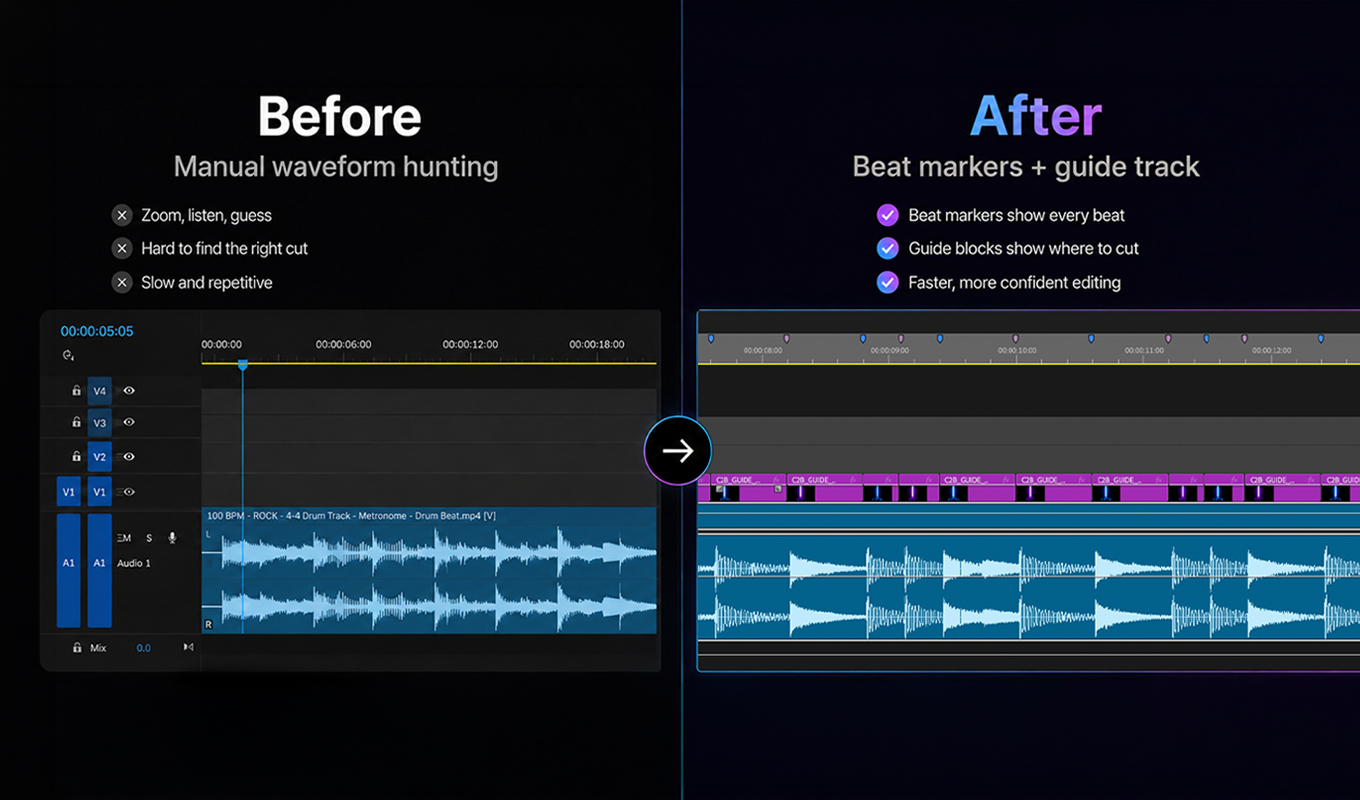
Cut to Beat before and after timeline showing beat markers and a guide track in Premiere Pro.

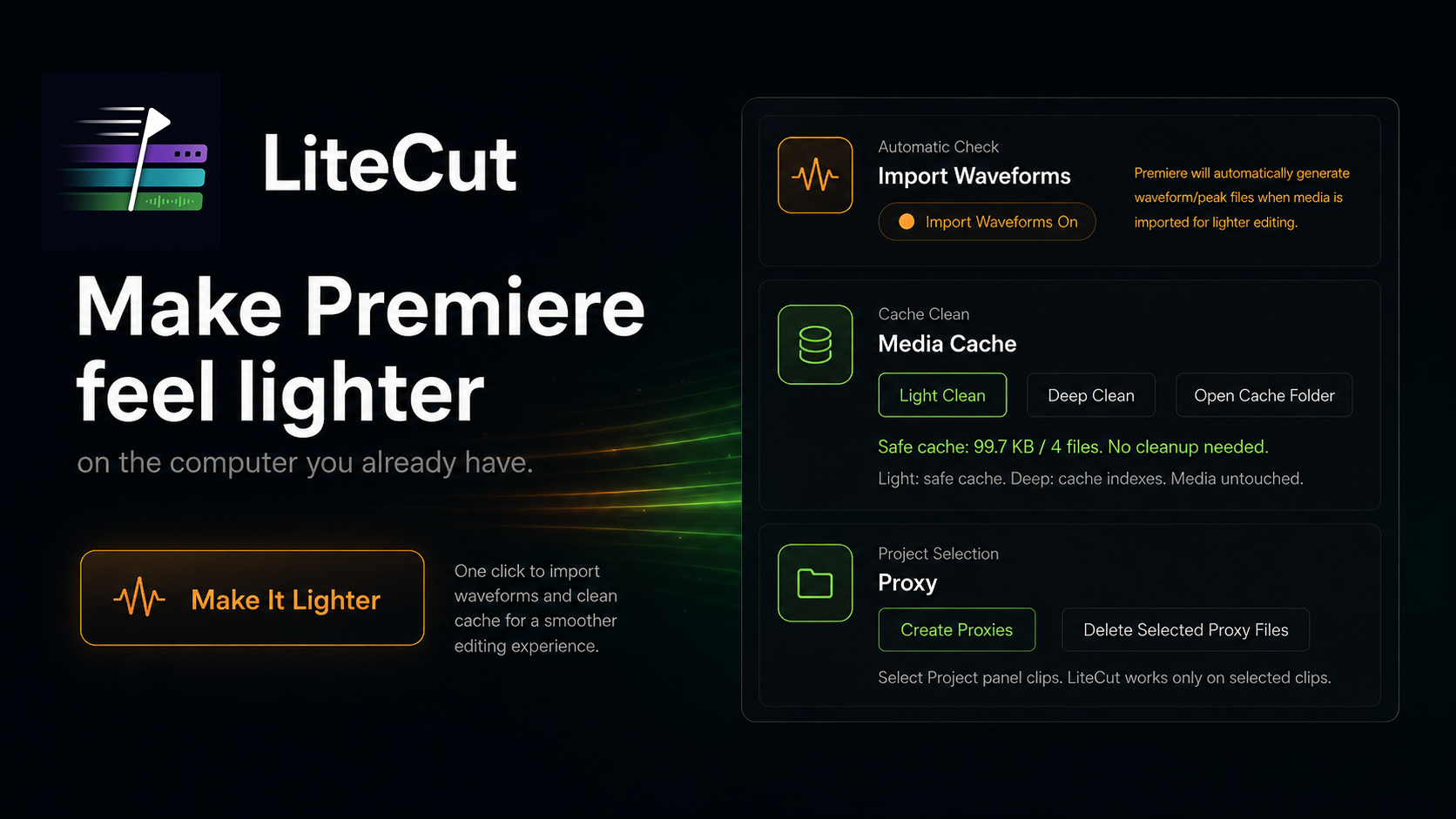
LiteCut

Make Premiere Pro feel lighter with safer cache cleanup, waveform control, and simple proxy tools.

Learn MoreBuy now for $2.99

Early access price: $2.99 · Available through Adobe Exchange.

Built by a working editor. Runs locally inside Premiere Pro. No tracking or cloud upload.

Pricing may change as the tools grow.

LiteCut product poster showing Premiere Pro cache cleanup, waveform import control, and proxy tools.

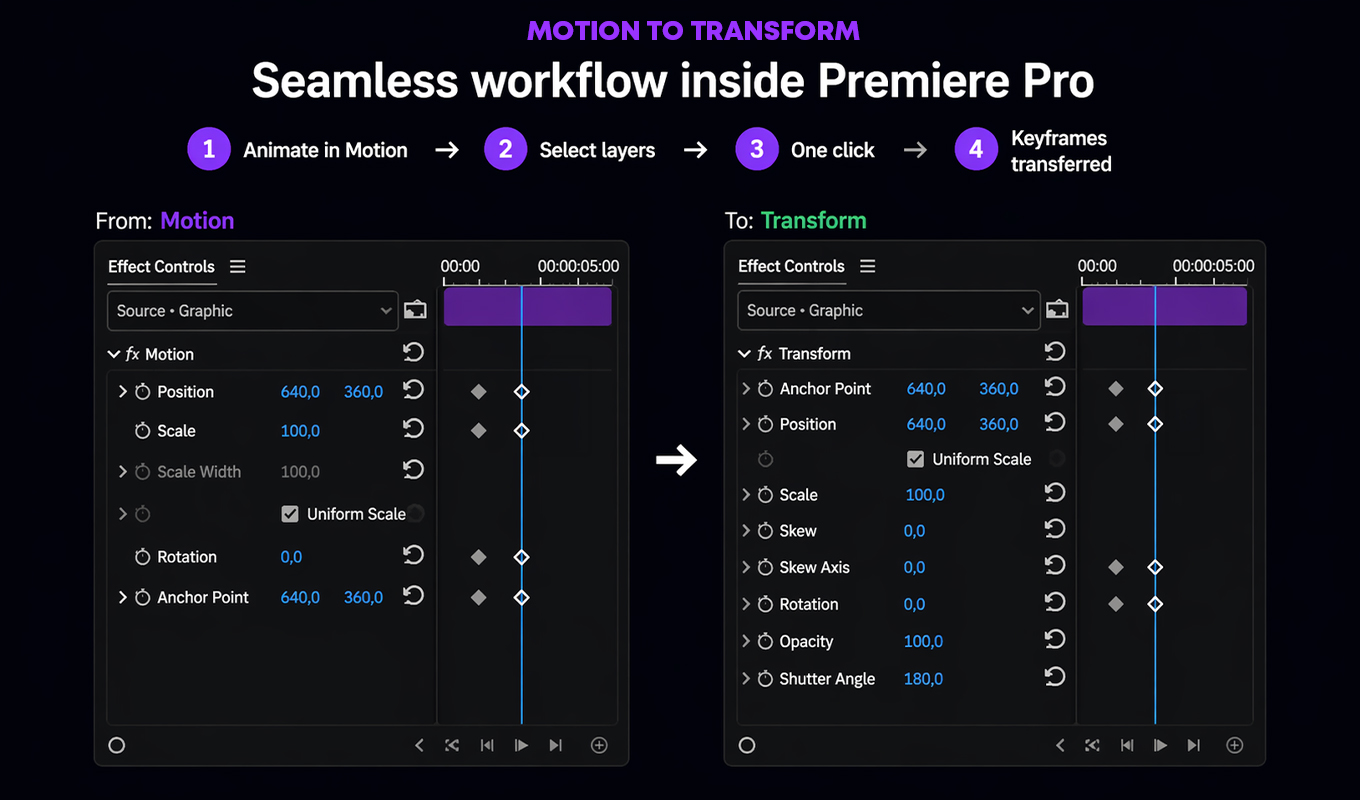
Motion to Transform

Transfer Motion animation into Transform workflows for cleaner finishing.

Learn MoreBuy now for $2.99

Early access price: $2.99 · Available through Adobe Exchange.

Built by a working editor. Runs locally inside Premiere Pro. No tracking or cloud upload.

Pricing may change as the tools grow.
Motion to Transform interface showing Motion keyframes transferred to Transform controls in Premiere Pro.

About Key-Farmer

Small utilities. Clear jobs.

Key-Farmer is an independent Adobe Premiere Pro plugin project built by a working video editor. Each tool is shaped around the practical timeline tasks that slow real post-production work down.

The plugins run locally inside Premiere Pro and focus on narrow, useful workflows: rhythm preparation, marker cleanup, motion handoff, and transform-based finishing. Key-Farmer is independent and is not affiliated with Adobe.

FAQ

Practical answers before you install.

Do the plugins collect project data?+

No. Key-Farmer plugins do not collect, transmit, or store project data, media files, timeline data, editing activity, analytics, tracking data, or telemetry.

Do they run locally?+

Yes. The plugins run inside Adobe Premiere Pro on your computer. Workflow processing stays local to the editor's machine.

How do purchase and installation work?+

Plugins are purchased and installed through Adobe Exchange. After purchase, use Adobe's normal install flow to add the plugin to Premiere Pro.

Which Premiere Pro versions are supported?+

The tools are built for modern Premiere Pro UXP workflows. Check the Adobe Exchange listing before purchase for the current compatibility details.

Why does Cut to Beat recommend WAV files?+

WAV audio gives Cut to Beat cleaner source data for rhythm detection. Compressed formats can be converted to WAV before running detection for best results.

What is Motion to Transform for?+

Motion to Transform is for editors who animate quickly with Motion controls but want a Transform-based workflow for smoother finishing and motion blur.

Does LiteCut delete original media?+

No. LiteCut does not delete original media. Light Clean removes only safe Adobe cache files, Deep Clean removes only whitelisted Adobe cache and index files, and proxy deletion removes only LiteCut-created proxy files inside the LiteCut Proxies folder.

Does LiteCut require another app, login, AI service, or third-party service?+

No. LiteCut is a Premiere Pro UXP panel and does not require another Key-Farmer app, login, AI service, or third-party service.

Does LiteCut use Adobe Media Encoder?+

Only for the optional proxy workflow as part of Adobe's standard Premiere Pro proxy process.

How do I contact support?+

Use the support form for purchase, installation, plugin issue, or workflow questions. Contact support.

Optional tip

Support Key-Farmer

Key-Farmer is an independent plugin project built by a working video editor. If these tools save you time or you want to support future development, you can leave a small optional tip.

This does not replace plugin purchases on Adobe Exchange.

Support development